 Albumtale
Albumtale / Memory guides / English guide
Plan an online travel journal with photos and notes
A travel journal records your experience of a trip. Dates and places help you find an event; photos show the scene; your words carry the parts outside the frame. Begin with a folder and notes, or use a private document or canvas that supports photos and text.
Give the trip a shape before choosing a layout
Choose a trip title and a grouping rule. A route can use chapters for each stop. A stay in one place can use days or themes such as “By the water” and “Around town.” A public destination guide serves readers planning a visit; a personal journal can keep a missed train, a conversation or a day that changed the plan.
Is a travel diary different from a travel journal?
For a personal trip record, “travel diary” and “travel journal” describe the same task: keeping experiences through dates, photos and words. Use dated entries if the order matters, or place-based chapters if a route makes the story clear. The recording and backup steps in this guide support either structure.
Collect an entry that survives the trip
- Capture the facts. Record the date, place and names you want to keep. Use a note marked “date unknown” if your memory lacks a date. Avoid turning a guess into a fact.
- Select photos with different roles. Choose a scene as the main image, a moment with people, and a detail such as a ticket or meal. Repeated photos can remain in your source folder.
- Write a scene in your own words. Include what happened and why it matters to you. A phone note, paper note or text file works as a source. Keep the full paragraph when making a caption or arranging the entry.
- Connect the writing to the images. Put the note beside the photos from that event. Separate a second place or day with a heading. Check that a reader can follow the order without guessing.
- Reserve a place for new records. A return visit, a reflection or a photo received from a friend can extend the journal. Give the addition a date and preserve the chapter you have finished.
A fictional travel entry
Imagine three photos from a train trip: a station clock, a lake path and two cups on a café table. Use the lake as the main image and name the chapter “The lake stop.” The original note could read:
“Our train arrived during the rain. We left the bags at the station and followed the path to the lake. The café owner gave us a table beside the window. I had expected a day of walking. We spent it drawing the boats on the back of our tickets.”
Keep the station date and the café name in a separate factual note if you want them for a future visit. Leave the paragraph intact. A chapter called “Back home” can hold a reflection without rewriting the trip entry. You can make the same structure with folders, headings and linked images.
Keep source files outside the layout
Create a trip folder with an originals folder and a notes folder. Use a shared name or date to connect each note to its photos. Save a copy on a separate device or a storage service you control. Before removing files from a phone, open the backup images and compare the saved notes with the originals. Keep an editable source alongside any exported viewing copy.
A trip example in the Albumtale private test
Invited desktop testers can place photos and words on an editable canvas, request chapters through chat and add another record to the space. Manual changes, locks, undo and restoration tools support control of the arrangement. The recorded product example uses a weekend story and real DeepSeek layout requests.
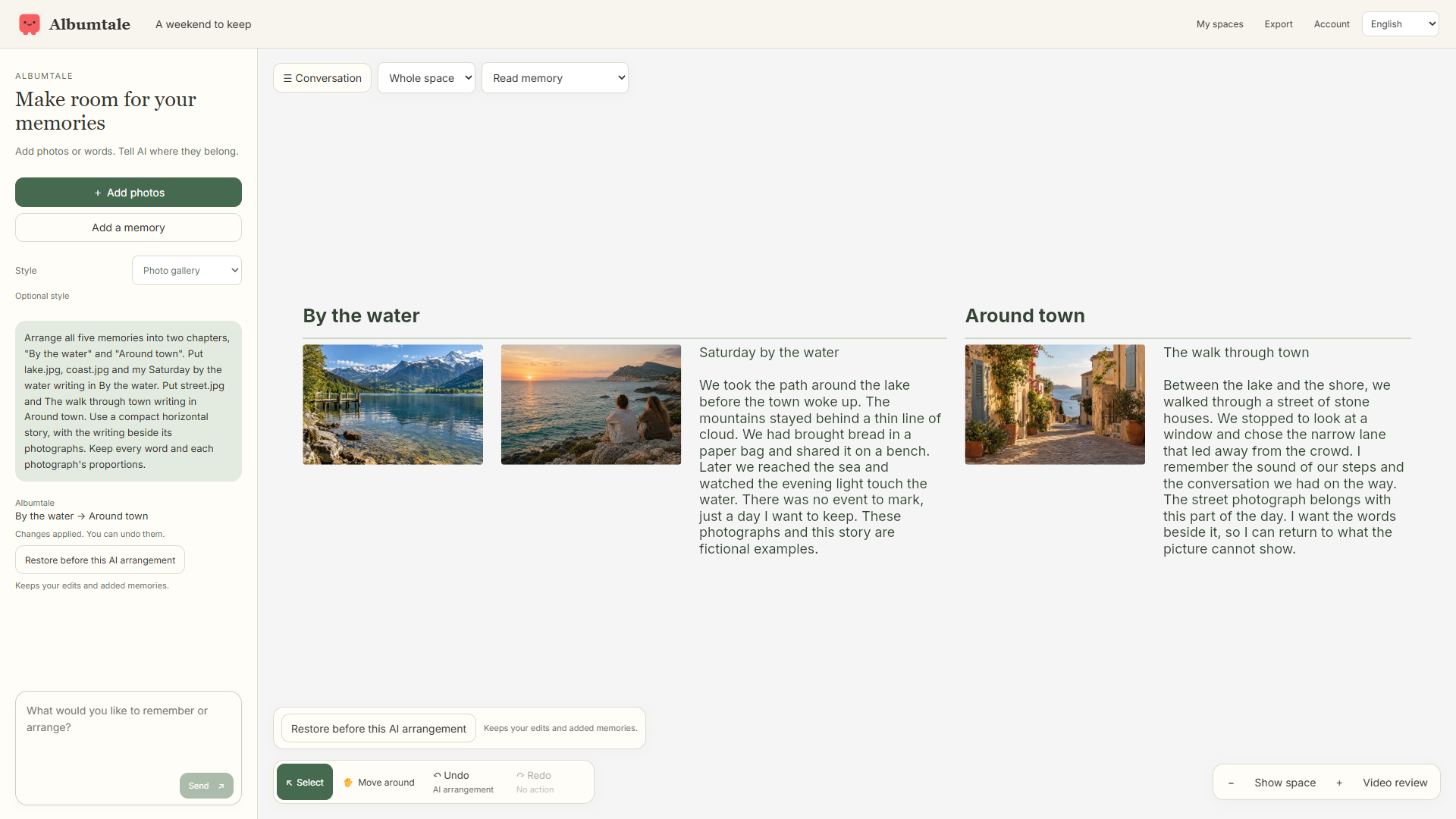
Albumtale has no public editor access or open checkout. Current new-media input uses photos and text. Existing audio, video and saved recaps can be viewed; a browser recap uses photos and words, without imported audio or video clips. Audio transcription and cloud rendering are unavailable. ZIP exports are read-only viewing snapshots with saved content and spatial relationships. Extraction and opening index.html provide a view without a connection; the package has no offline editor or AI.
AI organization sends selected material and context to DeepSeek. The public launch form has email and feedback fields, with no private-media upload field. Keep passport details, private photos and personal records out of that form. Read the privacy notice, terms and launch pricing status, or register for launch news.