 Albumtale
 / Features and supported tasks
An infinite canvas for photos and notes
Organize photos and text with natural-language requests. Edit each object, add material, save your space and export an offline viewing copy.
From material to an editable space
Add photos and text
Bring your source images and full notes into a space. Each photo and text note remains an independent editable object.
Describe the arrangement
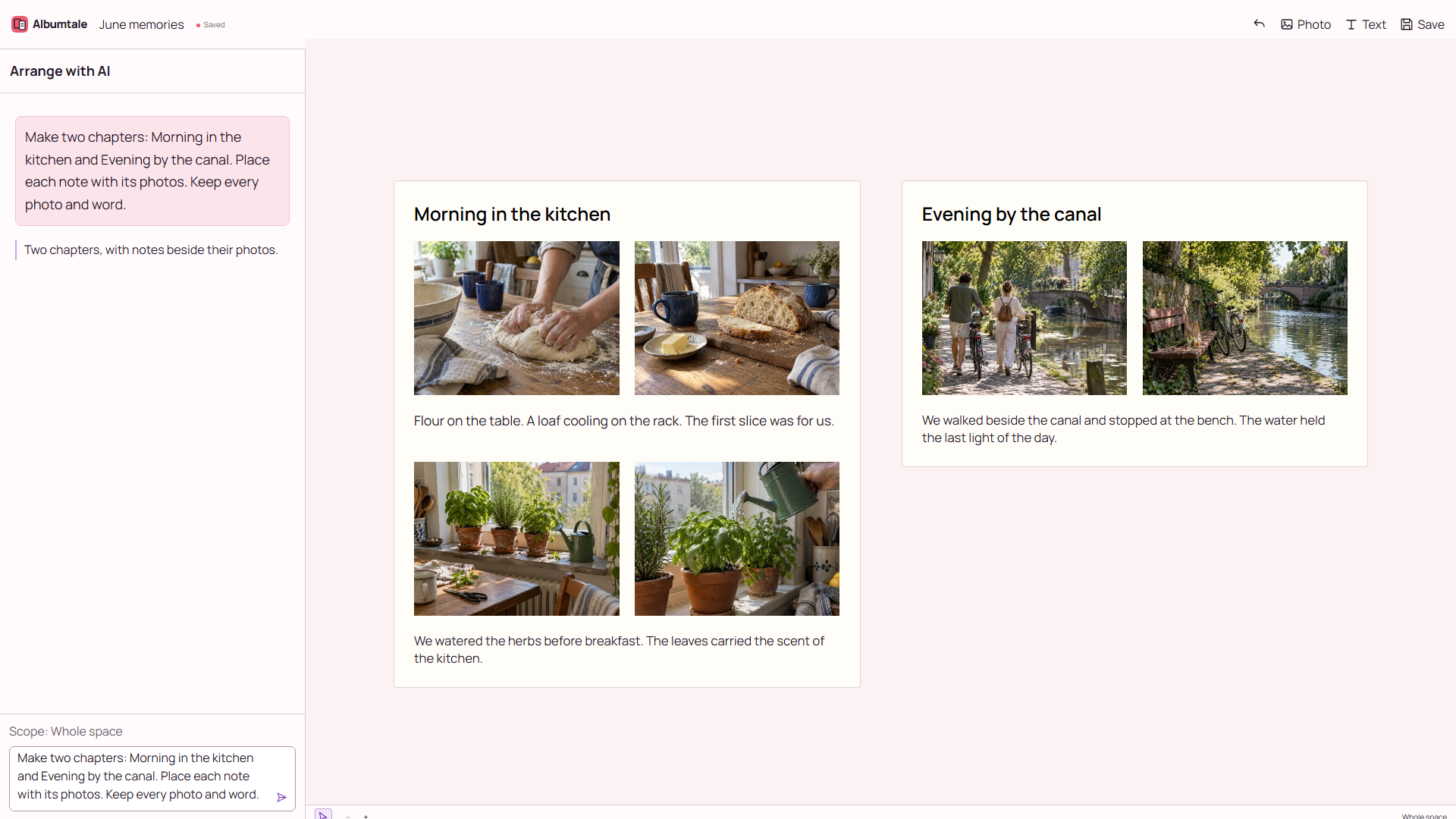
Ask for groups, main images and the placement of related notes. State the objects and choices you want to preserve. Inspect the result; a follow-up request or a manual change can be needed.
Edit and keep your choices
Select one or more objects. Move, resize, rotate, align, group, lock, copy or delete them. Edit text and its style. Use layers, undo, redo, zoom, pan and area navigation.
Add the next piece
Add photos or notes to the same space. Lock established objects before requesting an arrangement for new material. Save your changes and reopen the space for viewing.
Keep a viewing copy
Export a ZIP snapshot containing photos, full text and spatial relationships. Extract every part into one folder and open index.html without a connection. Offline editing and AI are not included.
Access and devices
Accounts are for people aged 16 and over. Local rules can require guardian consent. Edit on a desktop or landscape tablet. Public pages, account information and offline viewing copies remain readable on phones.
What the canvas supports
The canvas organizes photos and text for references, plans and memories. Albumtale does not provide shared editing, automatic diagrams, CAD, templates, printing, audio or video import, or video production.
AI and your material
Natural-language requests use an external model provider. Material required for the request can leave your device for processing. Model results require checking. Failed requests preserve the material and prior layout. See the privacy notice for data handling.
Questions about Albumtale
Does AI turn the space into one image?
No. Photos and text remain independent objects that you can select and edit.
Can I keep editing when AI credits reach zero?
Manual editing, viewing and export do not charge AI credits and remain available when the balance reaches zero. Plans and storage follow the account rules on the pricing page.
Is the homepage a live AI call?
A layout from a frontier GPT model with fictional photos and text. Scrolling replays a completed task, sends no AI request and does not represent response time.
Reviewed